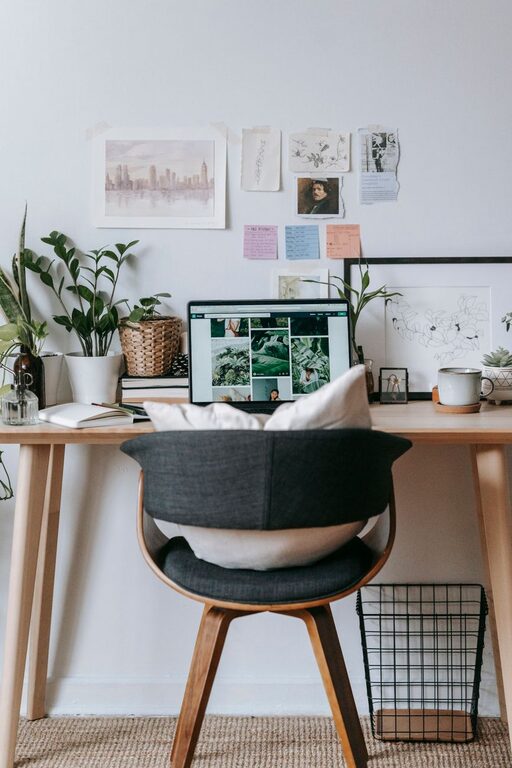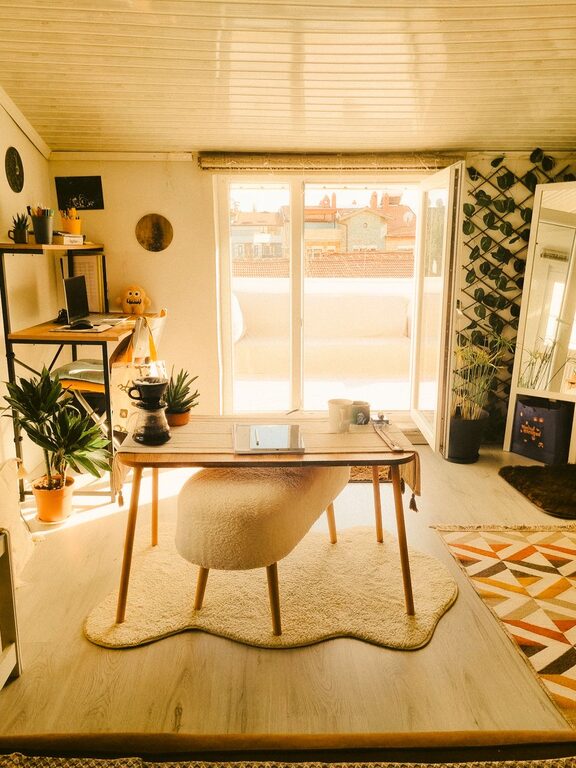
Creating an organized and comfortable home workspace is essential for staying productive and focused throughout your workday. Whether you work remotely full-time, occasionally, or just need a dedicated spot for tasks and projects, a well-arranged space can help reduce distractions and promote efficiency. Here are simple, practical tips to help you organize your home workspace effectively.
Choose the Right Location
The first step to an organized workspace is picking the right spot in your home.
– Quiet and Private: Find an area with minimal noise and distractions to support focus.
– Natural Light: If possible, select a space near a window. Natural light improves mood and reduces eye strain.
– Enough Space: Ensure there is enough room for your desk, chair, and storage solutions without feeling cramped.
Even a small corner of a room can work well if set up thoughtfully.
Declutter Your Workspace
A clutter-free environment promotes mental clarity.
– Clear the Desk Surface: Keep only daily essentials like your computer, notebook, or a pen holder on your desk.
– Sort Papers Regularly: Use file folders or trays to organize papers and discard what you no longer need.
– Limit Personal Items: Add a few meaningful decorations or photos but avoid overcrowding your workspace.
Set aside time at the end of each day to tidy up, keeping clutter from accumulating.
Invest in Functional Storage
Good storage helps you keep things organized and within reach.
– Use Drawer Organizers: These can separate office supplies like pens, paper clips, and sticky notes.
– Shelves and Cabinets: Use vertical space with shelves or cabinets to store books, files, and equipment.
– Label Everything: Label boxes, bins, and folders to find items quickly and maintain order.
Choosing storage options that fit both your space and style encourages consistent upkeep.
Optimize Your Desk Setup
How your desk is arranged can impact both comfort and productivity.
– Ergonomic Chair: Invest in a chair that supports good posture to avoid discomfort during long working hours.
– Monitor Position: Position your monitor at eye level, about an arm’s length away to reduce neck strain.
– Keyboard and Mouse Placement: Keep these within easy reach and aligned with your elbows to promote a natural arm position.
Small ergonomic adjustments can significantly reduce fatigue and improve your work experience.
Manage Cables and Devices
Tangled cables can be distracting and messy.
– Use Cable Organizers: Clips, sleeves, or boxes keep cables tidy and prevent tangling.
– Wireless Options: Consider wireless keyboards or mice if appropriate.
– Designate Charging Areas: Set up a specific spot for charging devices to avoid clutter.
Making your device setup streamlined helps maintain a clean workspace.
Incorporate Personal Comfort Elements
Your workspace should be inviting as well as productive.
– Lighting: Add a desk lamp with adjustable brightness for tasks requiring focused light.
– Plants: Small plants can improve air quality and bring a touch of nature indoors.
– Temperature Control: Keep a blanket or small fan nearby to adjust your comfort level easily.
These little touches can make your workspace a pleasant place to spend time.
Establish Daily Organization Habits
Consistency is key to maintaining an organized workspace.
– Start with a Clean Desk: Begin each day by clearing your desk and preparing your materials.
– Schedule Regular Breaks: Use breaks to stretch and reset your focus.
– Review and Plan: Keep a planner or digital tool to track tasks and deadlines right at your desk.
Developing simple habits ensures your workspace stays functional and clutter-free over time.
Use Technology to Stay Organized
Leverage digital tools to complement your physical workspace organization.
– Task Management Apps: Use apps like Trello, Asana, or Todoist to organize and prioritize your work.
– Cloud Storage: Store documents in the cloud to reduce paper clutter and access files across devices.
– Digital Note-taking: Replace paper notes with apps such as Evernote or OneNote for easy organization and searchability.
Technology can help keep your workflow smooth and your workspace less cluttered.
—
By implementing these tips, you can create a home workspace that supports both your productivity and comfort. Remember, the key is simplicity and consistency—small but meaningful changes lead to lasting improvements. Take some time this week to assess your current setup and make a few adjustments. You might be surprised at how much more focused and comfortable you feel. Happy organizing!